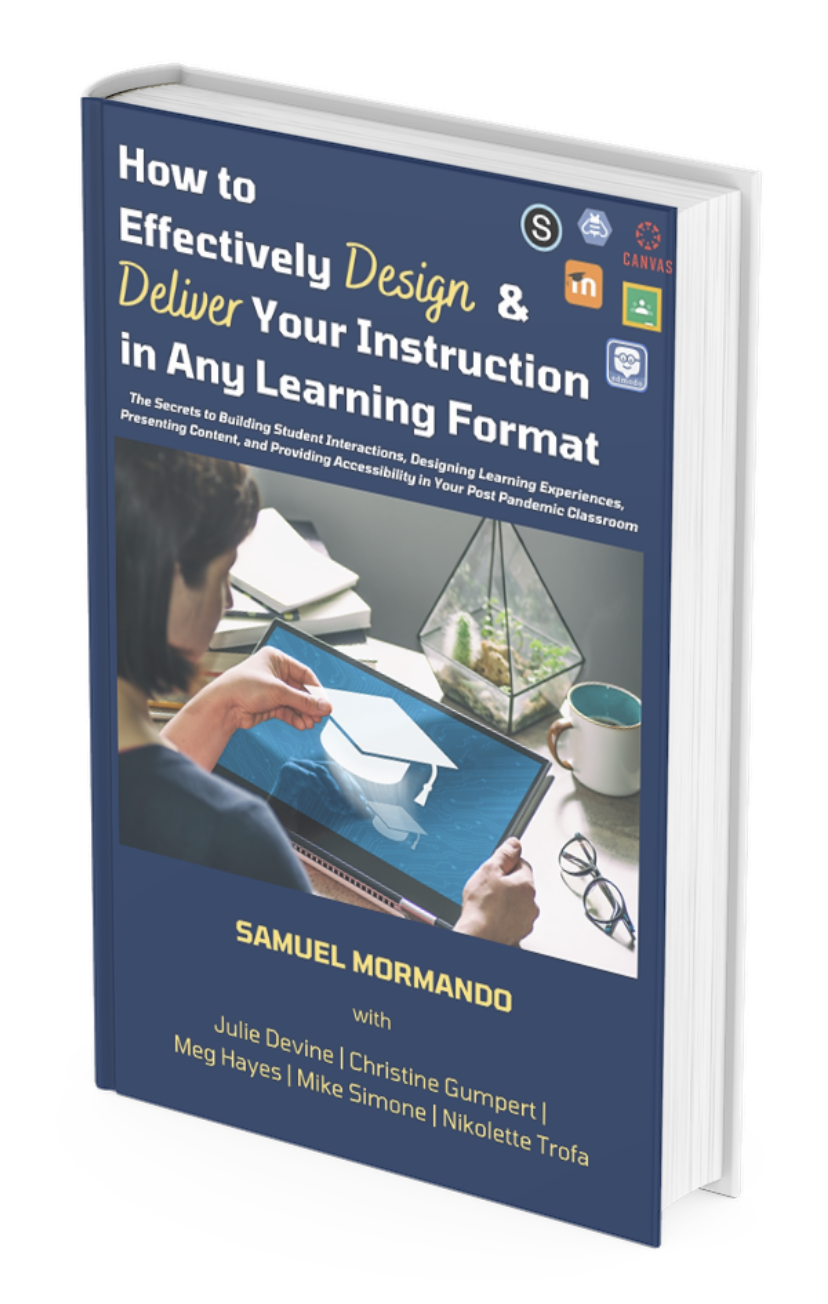
Who Should Read This eBook
The goal of this ebook is to provide educators with proven strategies to effectively design and deliver their instruction in today's increasingly digital learning environment. This ebook also aims to provide educational leaders with an outline on how to support their faculty members as they work to maximize the benefits of a learning management system (LMS). It is important to note that the strategies highlighted in this book span all grade levels, content areas, and learning management systems. These strategies also span multiple course modalities. By the time you finish this short ebook, you will have the skills to effectively design and deliver your instruction and/or help support others as they work to meet the challenges found in today's classroom.
Why We Created This eBook
We are current school administrators and instructional coaches. We witnessed good teachers struggle to make the adjustment to virtual and hybrid learning during the COVID-19 pandemic. Then, as some level of normalcy returned to our schools, we saw many of those same educators continue to find it challenging to return to the traditional face-to-face classroom.
Let us be clear, the difficulties educators experienced during and after the pandemic is a failure of our educational system - not schools, not principals, and certainly not teachers. Inequitable access to technology, inconsistent funding, and the lack of federal and state support during the pandemic left schools treading water.
We wrote this ebook because we believe every educator should have access to these strategies. Having worked with thousands of educators making the transition to the digital classroom, we know that once teachers learn more about the 4 themes of Effectively Designed Instruction (EDI), they will regain their confidence in meeting the challenges they face in their post-pandemic classrooms.

EDI Online Professional Learning Course
Program Fee: $349
With Coaching Support: $949
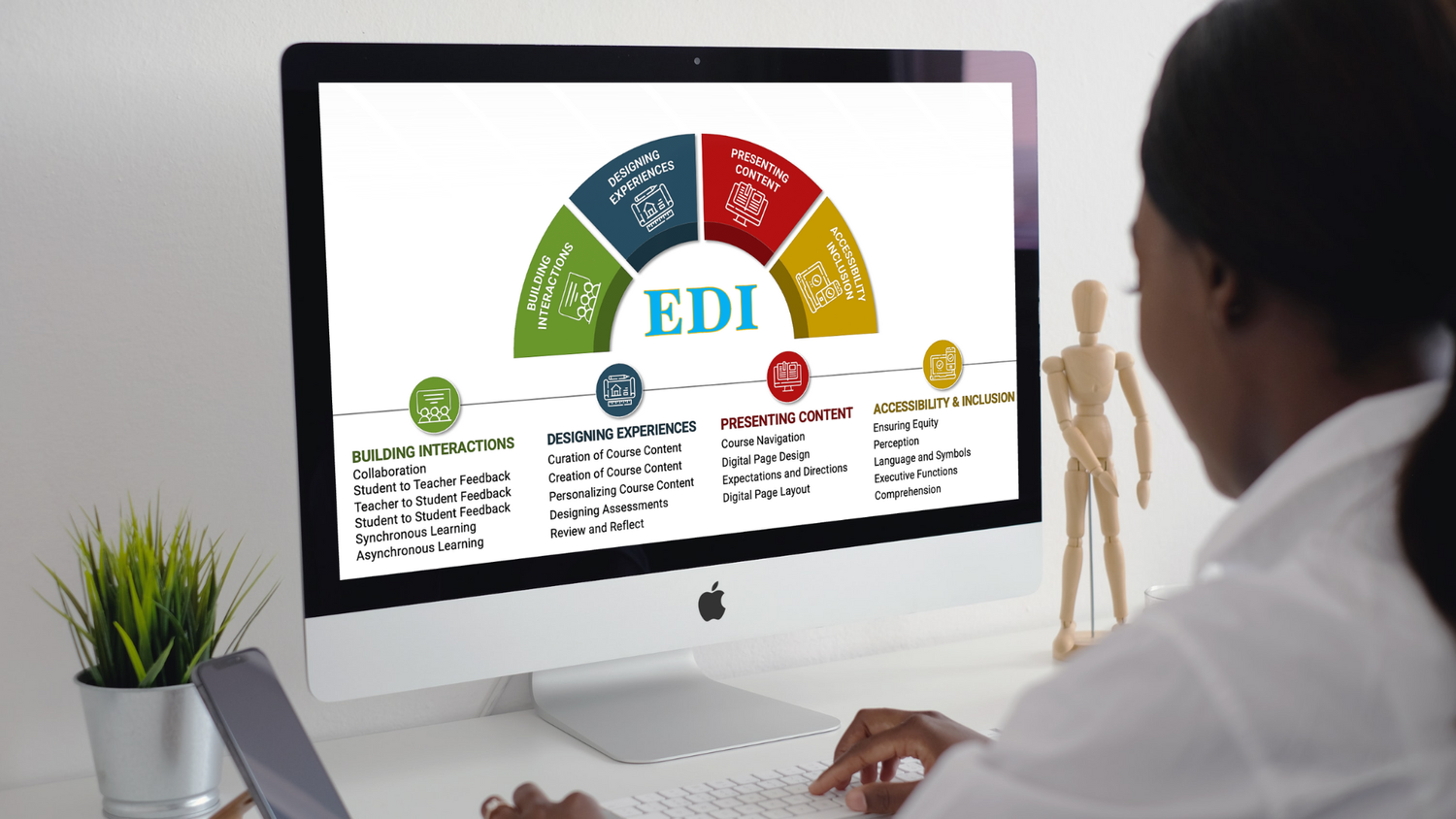
While this course can be done individually and asynchronously, many educators have found tremendous success when it is paired with an Edvative Instructional Coach.
Asynchronous online course, approximately 12 hours.
Videos, individual and optional group work, checks for understanding, and job-embedded application.

Unit 1: Building Student Interactions
Learners will be able to reflect on their own practice to identify areas in which the Building Student Interactions cards could be used, and identify strategies already being used that can be built upon.
Learners will be able to examine the critical role community plays in building a positive and productive classroom.
Learners will be able to create more student-centered discussions threads.
Learning Activities
Discover more about the concept of Building Student Interactions by diving into 2-3 of the resources provided. As you explore these resources, consider taking notes, creating a Wakelet to save your favorite resources that you want to regularly refer back to, share your favorite article with a colleague and make a time to talk about what you learned, and/or keep a lesson plan or meeting agenda by your side and think about when you are focusing on Building Student Interactions.
Professional Practice Share Out
Collaborative Learning Observation
Unit 2: Designing Learning Experiences
Learners will be able to create lessons that are more experiential and personalized than a standard one-size-fits-all approach.
Learners will be able to apply both formative and summative assessment strategies to monitor student growth.
Learners will be able to build opportunities for reflection into current classroom activities.
Learning Activities
Discover more about the concept of Designing Learning Experiences by diving into 2-3 of the resources provided. As you explore these resources, consider taking notes, creating a Wakelet to save your favorite resources that you want to regularly refer back to, share your favorite article with a colleague and make a time to talk about what you learned, and/or keep a lesson plan or meeting agenda by your side and think about when you are focusing on Building Student Interactions.
Check for Understanding Share Out
Developing Asycnrhous Learning Opportunities
Unit 3: Presenting Content
Learners will be able to design activities in their school’s LMS that follow a consistent folder structure and use common nomenclature.
Learners will be able to empathize with parents as they try to navigate their child’s LMS.
Learners will be able to design content in new and engaging ways (visual arts, iframe, video).
Learning Activities
Discover more about the concept of Presenting Content by diving into 2-3 of the resources provided. As you explore these resources, consider taking notes, creating a Wakelet to save your favorite resources that you want to regularly refer back to, share your favorite article with a colleague and make a time to talk about what you learned, and/or keep a lesson plan or meeting agenda by your side and think about when you are focusing on Building Student Interactions.
Using the LMS Course Design Rubric
Creating an Empathy Map for Parent LMS Experiences
Tools, Tips, and Tricks for Presenting Content
Unit 4: Accessibility and Inclusion
Learners will be able to implement strategies to present content in ways that support students’ success.
Learners will be able to create activities that activate prior knowledge by using media, graphic organizers, analogies, and cross-content connections.
Learners will be able to identify predictable barriers in their classrooms and design around them.
Learning Activities
Discover more about the concepts of Accessibility and Inclusion by diving into 2-3 of the resources provided. As you explore these resources, consider taking notes, creating a Wakelet to save your favorite resources that you want to regularly refer back to, share your favorite article with a colleague and make a time to talk about what you learned, and/or keep a lesson plan or meeting agenda by your side and think about when you are focusing on Building Student Interactions.
Designing Choice Boards
Addressing Predictable Barriers in the Classroom
Using Accessibility Tools with Students
Learning Journey
-
How do I know if this program is right for me?
The goal of this course is to provide educators with proven strategies to effectively design and deliver their instruction in today's increasingly digital learning environment. This course also aims to provide educational leaders with an outline on how to support their faculty members as they work to maximize the benefits of a learning management system (LMS). So, anyone who works with students or helps those that do, will benefit from this course. If you still have questions on whether this online course is a good fit for you, please email mormans@garnetvalley.org, and a member of our team will follow-up with you very shortly.
-
How much time is required to complete the online course?
Each learner will be a bit different, however, it is our experience that the online course will take approximately 12 hours to complete if done independently and 20 hours if paired with instructional coaching.
How will my time be spent?
We have designed this program to fit into your current working life as efficiently as possible. Time will be spent among a variety of activities including:
👉 Engaging with recorded videos
👉 Reading or engaging with examples of core topics
👉 Completing 2 to 3 question knowledge checks/quizzes
👉 Applying new learning to your current role in education
👉 Working with an instructional coach (optional) to enhance your current teaching practices
The course is designed to be highly interactive while also allowing time for self-reflection and to demonstrate an understanding of the core topics. Please contact us at mormans@garnetvalley.org if you need further clarification on course activities.
What is it like to learn online with an instructional coach?
Hundreds of educators, across many school districts, have chosen to advance their teaching skills by partnering with an instructional coach. In fact, 98% percent of the respondents of a recent survey across all our programs said that their learning outcomes were met or exceeded when paired with a coach.
By partnering with an Edvative coach, you will receive:
👉 a professional and personalized coach-educator relationship for an entire semester (16 weeks) - not just throughout the EDI Course
👉 scheduleded, bi-weekly virtual coaching sessions that will focus on the themes of EDI while you are enrolled in the course
👉 continued virtual coaching sessions (as needed) to reinforce the themes of EDI as you begin to make changes to your own courses
How do I interact with other participants?
Peer learning adds substantially to the overall learning experience and is an important part of our EDI course. To that end, we encourage learners to talk to colleagues or for school districts to enroll several teachers at once. However, the online course is designed to be completed independently.
-
What are the requirements to earn the certificate?
Each participant will receive a certificate of completion upon completing the online course. Many schools award credit hours or flex time for teachers who enroll and complete the EDI experience. Contact us at mormans@garnetvalley.org to learn more about this topic.
Can I get the hard copy of the certificate?
No, only verified digital certificates will be issued upon successful completion. This allows you to share your credentials on social platforms such as LinkedIn, Facebook, and Twitter.
How long will I have access to the learning materials?
You will have access to the online learning platform and all the videos and program materials for 12 months following the program start date.
-
What equipment or technical requirements are there for this program?
Participants will need just an internet connection on any device to access the online course.
Do I need to be online to access the program content?
Yes, the learning platform is accessed via the internet, and video content is not available for download. However, you can download files of video transcripts, assignment templates, readings, etc. For maximum flexibility, you can access program content from a desktop, laptop, tablet, or mobile device.
-
What is the program fee, and what forms of payment do you accept?
The program fee is noted on the registration page. Group discounts are available. Please email mormans@garnetvalley.org for more information.
What if I don’t have a credit card? Is there another method of payment accepted?
Yes, you can do the bank remittance in the program currency via wire transfer or debit card. Please email mormans@garnetvalley.org for more information.
I was not able to use the discount code provided. Can you help?
Yes! Please email us at mormans@garnetvalley.org with the details of the the issue.
How can I obtain an invoice for payment?
You will receive a receipt upon payment, however, please email mormans@garnetvalley.org with your invoicing requirements if needed.
How can I obtain a W9 form?
Please email us at mormans@garnetvalley.org for assistance.
-
What is the policy on refunds and withdrawals?
You may request a full refund within seven days of your payment. All withdrawal and refund requests should be sent to mormans@garnetvalley.org.